Choose a Simulator
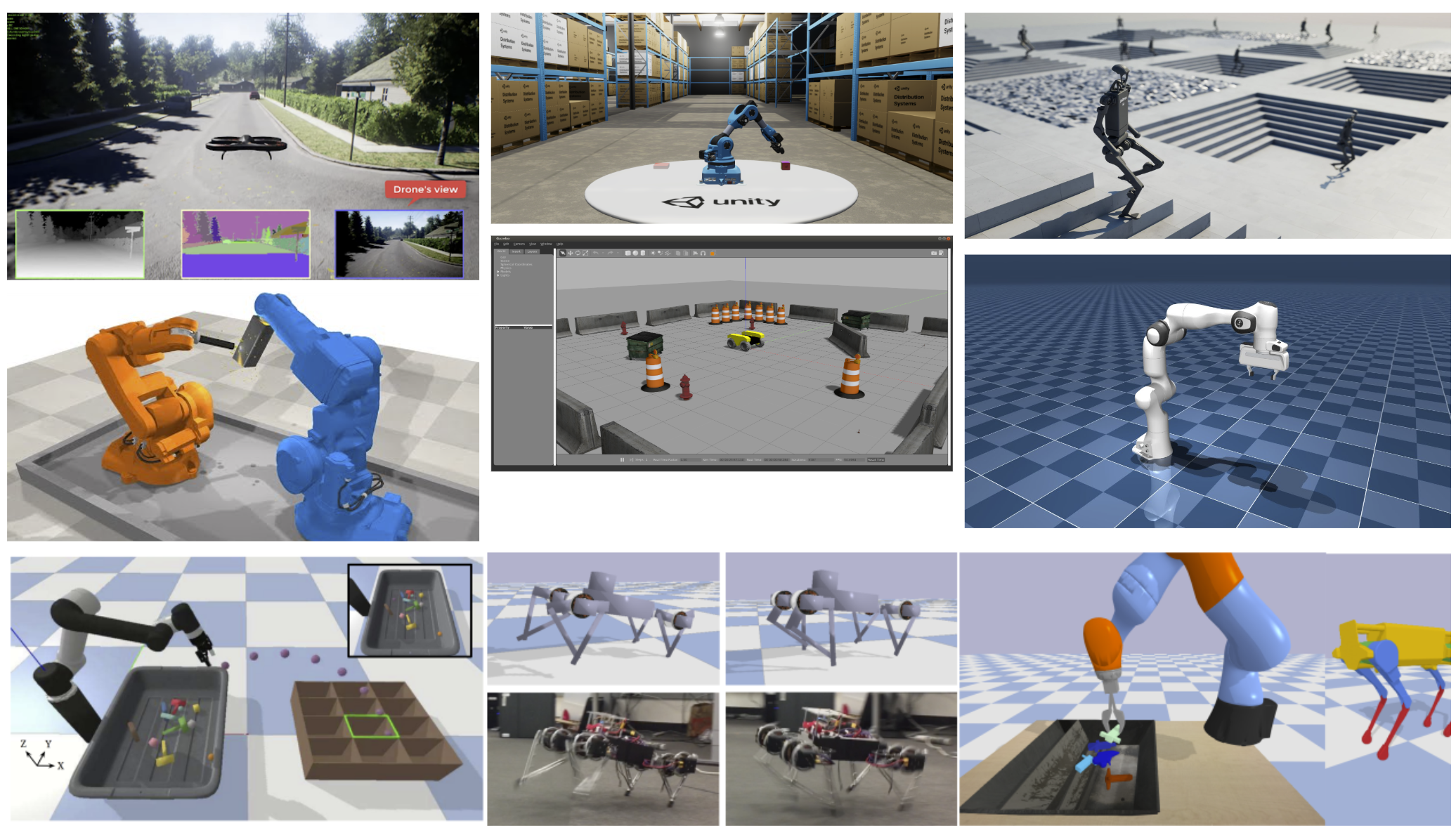
Selecting the appropriate simulator is a pivotal step in any robotics project. Simulators allow you to test algorithms, design robots, and visualize environments without the need for physical hardware, saving both time and resources. This section will guide you through the importance of simulators, help you identify the type of simulator that suits your project’s needs, and provide comparisons of popular options across various categories.
By the end of this section, you will understand:
- The significance of simulators in robotics projects and when to use them.
- How physics simulators work.
- How to determine the type of simulator you require based on your project’s specifications.
- The pros and cons of various simulators tailored for robotics, machine learning/reinforcement learning, and visualization.
Should You Simulate? Why Are Simulators Important in Robotics Projects?
Say that you want to deploy our quadruped robot Tod in a shopping mall. You already developed the software that will be running on Tod and integrated the peripheral hardware such as a camera for vision. But you’re not sure whether everything will work nicely together when you actually put it into use. Will the perception work as intended and recognize obstacles? Will the planner output an optimal path based on the perceived obstacles and goal points? Will the controller move the robot as intended along the path given by the planner?
It’s hard to tell, and you most certainly do not want to test this out for the first time in a crowded shopping mall! Here, a simulator can help. When developing a software component for your robot, you can use readily available open-source simulators to test out how your software might work in the real world. You can simulate the robot’s behavior, such as the sensor measurements and controller gains, and also the environment, such as friction, gravity, wind, etc. Once you simulate the robot in this “fake world”, you may detect some problems with your current software stack and choose to improve them. You can keep iterating this until you get the desirable performance.
Simulators play a crucial role in robotics for several reasons:
1. Logistics
- Cost Efficiency: Developing and testing in a virtual environment reduces the need for expensive hardware prototypes.
- Safety: Allows for the testing of potentially dangerous scenarios without risk to humans or equipment.
- Accessibility: Facilitates rapid prototyping and debugging, enabling quicker iterations. Allows team members to develop and test code in parallel.
2. Algorithmic Validation and Data Generation
- Reproducibility & Ground Truth: Ensures deterministic testing conditions. Simulators provide perfect state estimation, which is invaluable for isolating whether an issue is a sensor error or a controller error.
- Domain Randomization for Robustness: Can procedurally vary physical constraints (friction, mass), visual parameters (lighting, textures) and locations of items in an environment to force the model to learn a more robust policy.
- Exploration: Simulators allow you to safely test specific situations like sensor failures, extreme weather conditions or complex human-robot/multi-robot interactions.
- Synthetic Data Generation: For computer vision tasks, simulators can generate thousands of perfectly labeled images (segmentation masks, depth maps, bounding boxes) in seconds, eliminating the massive bottleneck of manual data labeling.
3. Performance Scaling and System Design
- Massive Parallelization & Time Scaling: Simultaneously run thousands of simulation instances to compress years of robot learning into hours. Additionally, physics can be “overclocked” to run at multiple times real-time speed or slowed down to sub-millisecond intervals to debug high-speed contact dynamics.
- Environment Design & Planning: Helps determine the optimal layout of a environment before anything is built, identifying traffic bottlenecks or “blind spots” for static sensors.
- Hardware-in-the-Loop (HIL) Testing: Modern simulators allow you to connect actual embedded microcontrollers or flight controllers to the virtual environment. This enables testing of real embedded C++ code and communication latency while the physics remain virtual.
graph TD

    subgraph A[Develop Software]
        subgraph ROS
            J[Custom Software]
        end
    end


    subgraph B[Test in Simulation]
        C[Evaluation]
        subgraph D[Computer]
            subgraph E[Simulator]
                F[Sim. Robot]
                G[Sim. Sensors]
            end
        end

        subgraph H[Computer]
            subgraph I[ROS]
                K[Custom Software]
            end
        end

        I --> E
        E --> I

        D --> |results| C


    end

    A --> |deploy| B
    B --> |improve| A
(Graph based on Robotics simulation in Unity is as easy as 1, 2, 3)
When to Avoid Simulation & Common Pitfalls
While simulators are powerful tools, they are not a silver bullet. Over-committing to simulation can sometimes drain resources and introduce entirely new categories of bugs.
1. The Sim-to-Real Gap & Modeling Limits
- Inaccurate Contact Dynamics: Physics engines use rigid bodies and numerical solvers, often struggling with soft-body deformations, complex contact or high-frequency loops.
- Unrealistic Sensor Noise: Real-world sensors suffer from environmental interference, specular reflections and dropout. Perception pipelines tested only on synthetic data often fail entirely when fed noisy, real-world inputs.
- Unstructured Terrains and Fluids: While modeling flat indoor floors is easier, accurately simulating unstructured environments such as loose gravel, mud, tall grass or fluid dynamics for underwater robotics is computationally prohibitive and often highly inaccurate.
- Hardware Wear and Degradation: Simulators default to factory-perfect conditions. They rarely account for gradual mechanical realities over an operational shift, such as gear backlash, thermal throttling of motors under heavy load or nonlinear battery voltage drops.
- Human Unpredictability: Simulating authentic human behavior (unpredictable crowd dynamics, sudden interventions, emergencies) is notoriously difficult, often leading to falsely optimistic safety validations.
2. Resource Drains & Project Management
- The Cost of Simulation Accuracy: For computer vision tasks, building a high-fidelity environment is a massive undertaking. For contact-rich tasks, it requires significant CPU/GPU resources to achieve highly accurate simulation. If a project’s goals are heavily hardware-centric, over-investing in virtual modeling may become a distraction from actual deliverables.
- Runaway Compute Costs: Spinning up thousands of virtual environments on commercial cloud infrastructure can quietly accumulate costs that exceed the price of simply building and testing a physical prototype.
- Skillset Requirements: Constructing high-fidelity virtual worlds requires expertise akin to video game development. This can force a robotics team to divert critical headcount and focus away from core robotics engineering.
3. Software Health & Algorithmic Pitfalls
- Volatility: The robotics simulation landscape is highly unstable. Platforms frequently follow a cycle of corporate acquisition, industry-wide migrations or architectural resets that force developers to pivot workflows. Repositories often stagnate and reach EOL, quickly losing compatibility with modern operating systems.
- Network and Latency Abstraction: High-level simulators frequently abstract away internal robot communication. They often assume instant data transfer between nodes, masking real-world embedded issues like communication congestion, dropped network packets or variable processing lag.
- Black Box Effects: Many commercial physics engines utilize proprietary, closed-source algorithms with undocumented shortcuts designed to maintain real-time rendering speeds.
How do Physics Simulators Work?
Before we get into what simulators are out there for robotics (and ML/RL), we need to talk about how they simulate the world for our use. What makes them comparable (although not nearly identical) to the real world?
The answer lies in physics simulation. Physics simulators like Gazebo and Isaac Lab provide a flexible and general-purpose framework for modeling a wide range of robotic systems. By representing robots as assemblies of rigid bodies connected by joints, applying appropriate constraints, and utilizing numerical integration methods, these engines can simulate complex dynamics without the need for hand-crafted equations of motion for each specific robot configuration.
Fundamental Concepts of Physics Simulation
At the core of physics simulation are mathematical models that describe how objects move and interact. Key principles include:
Generic Rigid-Body Framework
At the core, modern physics engines treat any object—be it a part of a robot, a vehicle, or a drone—as a rigid body characterized by mass, inertia tensors, and geometry. The fundamental equations involved are the Newton-Euler equations, which describe the translational and rotational motion of rigid bodies under applied forces and torques.
Constraints and Joints Instead of Analytical Equations of Motion
Rather than starting with a robot-specific analytical model, physics engines define robots as assemblies of multiple rigid bodies connected by joints and constraints. For example, a humanoid might be modeled as a series of rigid links connected by revolute and spherical joints, each with known mass properties. A quadrotor’s propellers, frame, and any jointed mechanisms are similarly represented as rigid bodies, with thrust and aerodynamic forces applied as external inputs.
The engine sets up a large system of equations representing:
- The motion of each body (Newton-Euler)
- The constraints imposed by joints and contacts (e.g., wheels on the ground, limbs connected to a torso)
These constraints ensure the bodies move in a way consistent with the defined mechanical structure (like a robotic arm’s linkage) or with environmental interactions (such as collisions and friction).
Numerical Integration Methods
To simulate the continuous motion of robots, physics engines employ numerical integration techniques to solve the differential equations governing dynamics. While classical integrators like Runge-Kutta (RK4) are possible, many physics engines prefer semi-implicit or symplectic integrators, and often use specialized iterative solvers optimized for stability and speed in real-time or real-time-like simulations. Common techniques include:
- Explicit Euler or Semi-implicit Euler: Very simple, often used as a first pass but may lack stability.
- Verlet integration or symplectic methods: Offer better energy conservation for certain problems.
- Constraint solvers (like Projected Gauss-Seidel or Sequential Impulse methods): Used to handle joint and contact constraints efficiently.
Off-the-shelf physics libraries (e.g., ODE, Bullet, DART, MuJoCo) typically blend these methods to achieve stable, real-time simulation.
Example: Fourth-Order Runge-Kutta (RK4) Method Fourth-Order Runge-Kutta (RK4) provides greater accuracy by evaluating the derivative at multiple points within each time step and combining them to estimate the next state. This method balances computational efficiency with precision and is widely used in simulations.
RK4 Algorithm: Given an initial value problem: \(\frac{dy}{dt} = f(t, y), \quad y(t_0) = y_0\)
The RK4 method updates the solution as follows:
\[\begin{align*} k_1 &= f(t_n, y_n) \\ k_2 &= f\left(t_n + \frac{h}{2}, y_n + \frac{h}{2} \cdot k_1\right) \\ k_3 &= f\left(t_n + \frac{h}{2}, y_n + \frac{h}{2} \cdot k_2\right) \\ k_4 &= f\left(t_n + h, y_n + h \cdot k_3\right) \\ y_{n+1} &= y_n + \frac{h}{6} (k_1 + 2k_2 + 2k_3 + k_4) \end{align*}\]Here, $h$ is the time step, $t_n$ and $y_n$ are the current time and state, respectively, and $k_1, k_2, k_3, k_4$ are intermediate slopes used to compute the next state $y_{n+1}$.
Defining Robot Models with URDF
Now, how do we pass in robot-specific information (settings) to simulators? We can do this via URDFs (in most simulators, at least).
Users define the physical and kinematic properties of robots using formats like the Unified Robot Description Format (URDF), an XML-based language. URDF allows users to specify:
-
Links: Define the rigid bodies, including their geometry, mass, and inertia.
-
Joints: Specify the connections between links, including joint type (e.g., revolute, prismatic), axis of rotation or translation, and limits.
-
Sensors and Actuators: Describe additional components and their properties.
By providing this information in a URDF file, simulators can accurately construct and simulate the robot’s behavior within a virtual environment.
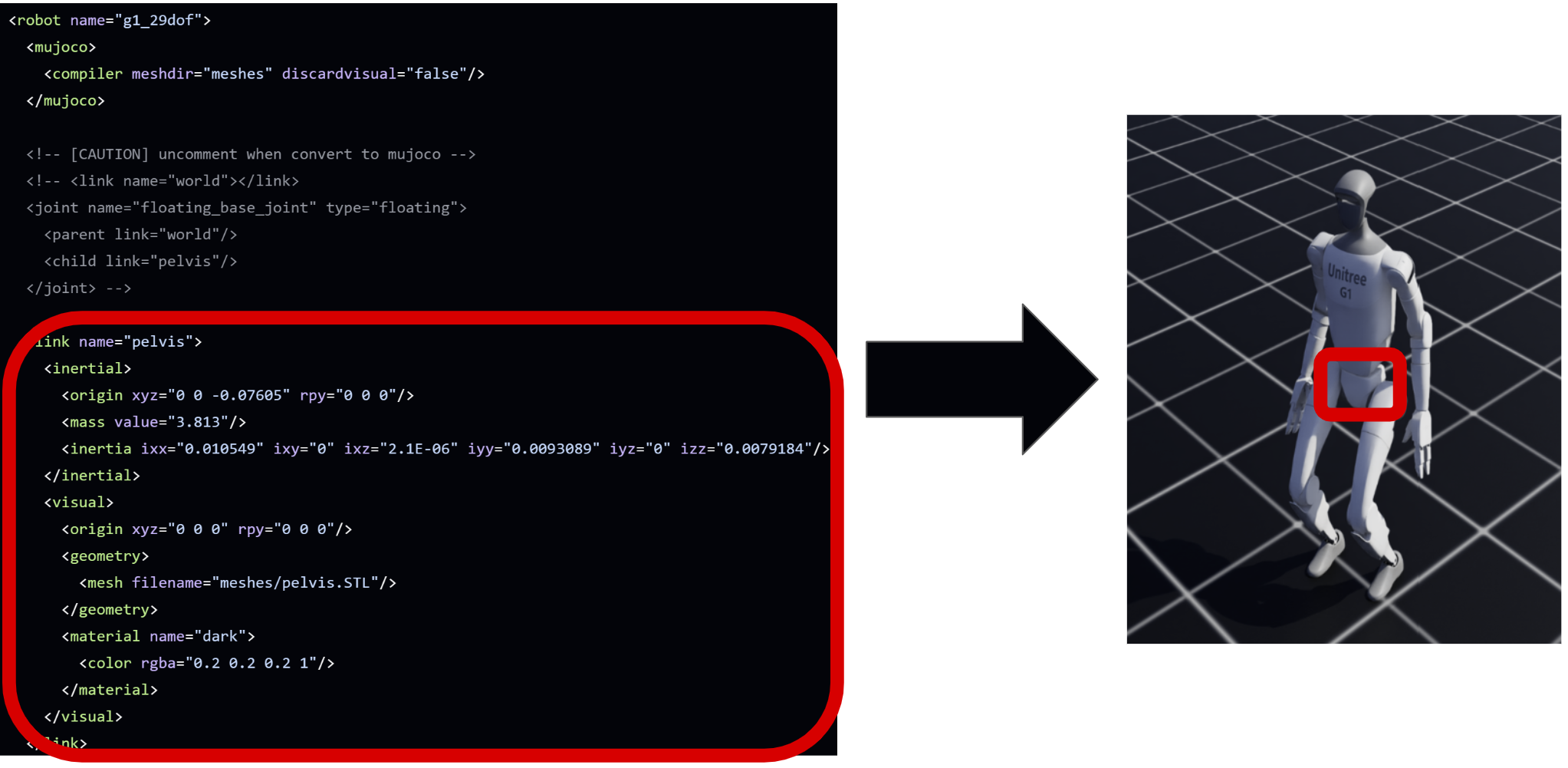 Here, the
 "link" in the red square on left-side is the URDF section that defines the Unitree G1’s pelvis link. Based on the information provided here, the physics engine simulates the pelvis on the humanoid robot.
Extended Effects Through Plugins or Force/Torque Models
For complex scenarios, users can enhance simulations by adding custom force models or plugins. For instance, to better simulate a quadrotor, a plugin might model propeller thrust and drag based on propeller speed. However, the underlying approach remains a numerical, constraint-based solution to the general equations of motion for rigid bodies.
Examples of Physics Simulators
-
Gazebo: An open-source robotics simulator that integrates with the Robot Operating System (ROS). Gazebo uses physics engines like ODE (Open Dynamics Engine) to simulate complex interactions between robots and their environments, including accurate modeling of sensors and actuators.
-
Isaac Lab: Developed by NVIDIA, Isaac Lab is a high-performance simulator designed for robot learning. It leverages GPU acceleration to perform physics simulations and neural network computations directly on the GPU, enabling the parallel simulation of thousands of environments. This capability significantly speeds up reinforcement learning training times for robotics applications.
Determining the Right Simulator for Your Project
Before selecting a simulator, consider the following criteria:
1. Ecosystem and Compatibility
- Integration with Middleware: Does your project utilize the Robot Operating System (ROS)? Some simulators provide native integration (like Gazebo), which reduces latency and setup complexity. Ensure the simulator supports the specific distribution (e.g. Noetic, Humble, etc.) you are using.
- Operating System Support: Platform compatibility is essential. Most high-fidelity simulators are optimized strictly for Linux, while others (like Unity or Unreal Engine) may offer better support for Windows or macOS.
- Language and Library Support: Ensure the simulator’s API matches your team’s expertise and is compatible with your machine learning libraries and CUDA versions. For example, most modern GPUs require newer drivers only available on higher versions of Ubuntu. However, upgrading the OS often locks out older ROS versions, which in turn can render any hardware dependent on those legacy versions unusable.
2. Physical and Visual Fidelity
- Physics Requirements: Determine the level of contact friction and articulated dynamics required. For reinforcement learning or complex manipulation, high-fidelity engines like MuJoCo or PhysX are preferred. For simple navigation, a low-fidelity engine or a pure visualizer like RViz may suffice, saving significant compute resources.
- Visualization and Rendering: If your project involves computer vision, evaluate the rendering engine. While object detection often only requires standard 3D rendering, tasks involving light-sensitive sensors or photorealistic sim-to-real transfer may require ray-tracing capabilities provided by platforms like NVIDIA Isaac Sim or Unity.
- Customizability: Evaluate the ease of importing custom robot models (via URDF, MJCF, or USD) and procedurally generating environments. If you are developing unique hardware, the ability to accurately model its mass properties and joint limits is a non-negotiable requirement.
Pro-Tip: You can often circumvent these version mismatches by using Docker containers to run legacy ROS environments on a modern host OS, or by manually installing mainline kernels to support new hardware on older Ubuntu builds. However, the downside is added complexity: both of these may introduce networking issues, GUI X11 forwarding, overhead in GPU passthrough, real-time kernel issues, etc.
3. Sustainability and Maintenance
- Software Health and EOL: For production environments, integrating simulators that lack updates for modern operating systems or hardware architectures may lead to technical dead-ends. Prioritize software that has reached a stable version and has not been flagged for End-of-Life (EOL).
- Community and Support: Check the commit history and issue resolution rate on open-source repositories. A simulator with an active community and transparent roadmap is typically easier to use/debug.
- Budget and Licensing: For paid software, account for the total cost of ownership. While many tools are open-source, some require proprietary licenses for commercial use or high-performance cloud compute credits to run at scale.
Simulators for Robotics
We first go over some popular simulators tailored for robotics applications.
| Simulator | Physics-Based | ROS Integration | Cost | Computation Speed | Supported OS | Customizability |
|---|---|---|---|---|---|---|
| Gazebo | Yes | Best | Free | Moderate | Linux, macOS | Very High |
| Colosseum | Yes | Limited | Free | Resource-Intensive | Windows, Linux | High (for drones) |
| CoppeliaSim | Yes | Yes | Free*/Paid | Moderate | Windows, macOS, Linux | Very High |
| Unity | Adjustable | With Plugins | Free*/Paid | Variable | Windows, macOS, Linux | Very High |
*Free for personal or educational use; commercial licenses may apply.
Gazebo
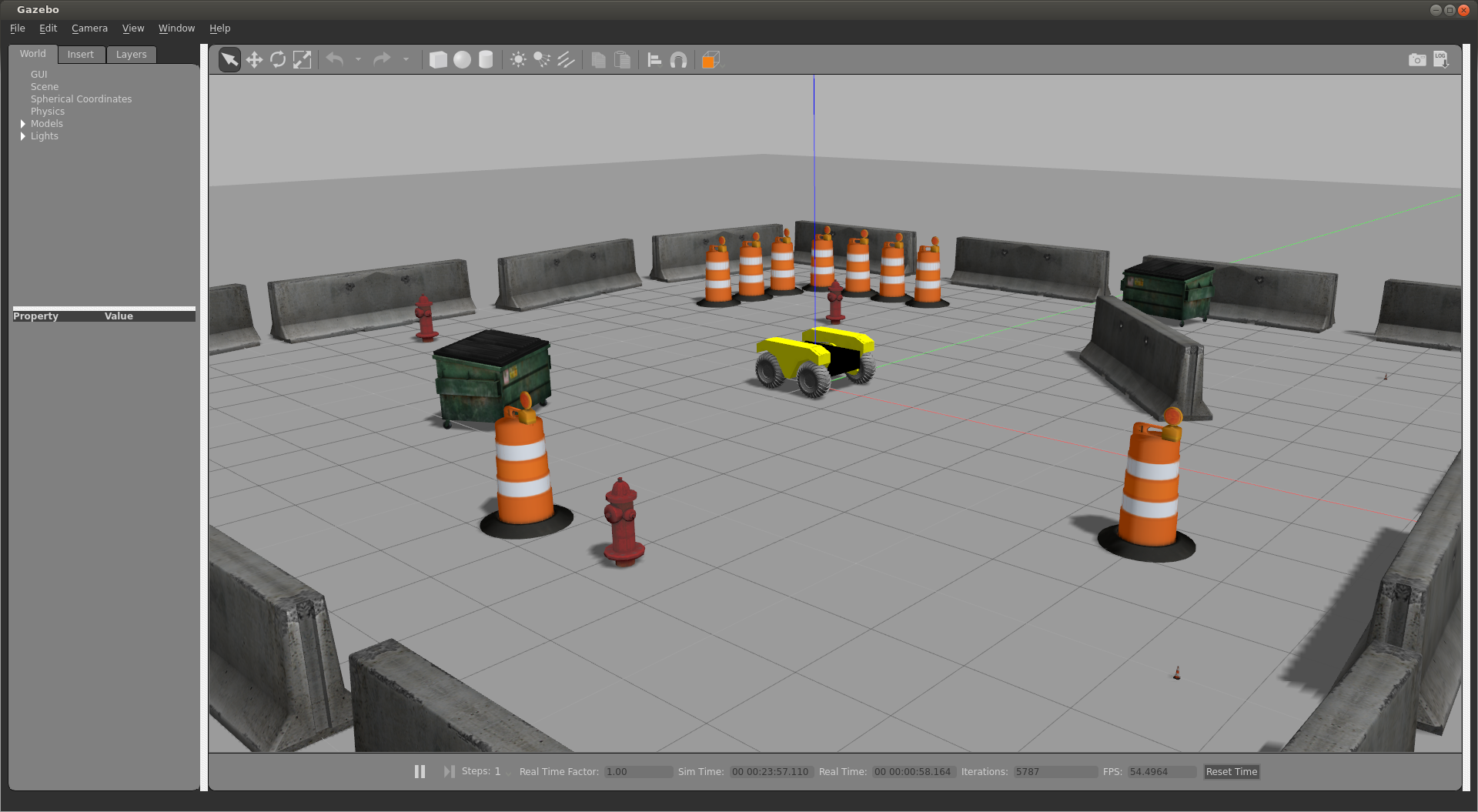
Gazebo is a widely-used open-source robotics simulator that offers robust physics simulation and sensor modeling capabilities. It provides a 3D environment where users can test and develop robots in realistic scenarios. Gazebo’s integration with the Robot Operating System (ROS) makes it a standard choice for many robotics projects, facilitating seamless communication between simulation and real-world applications.
Note: It is important to distinguish between Gazebo Classic (versions 1-11) and the modern Gazebo (formerly Ignition). Gazebo Classic reached its official End-of-Life (EOL) in January 2025. You can read more about the switch here.
Pros:
- ROS Integration: Seamless compatibility with ROS, making it a standard choice for many robotics projects.
- Physics-Based: Offers realistic physics simulations, including gravity, inertia, and collision detection.
- Customizability: Supports custom robot models and environments.
- Cost: Open-source and free to use.
- Supported OS: Compatible with Linux and macOS.
Cons:
- Computation Speed: Can be resource-intensive, potentially leading to slower simulations on less powerful hardware.
- Learning Curve: May require time to master its extensive features and functionalities.
Colosseum (successor to AirSim)
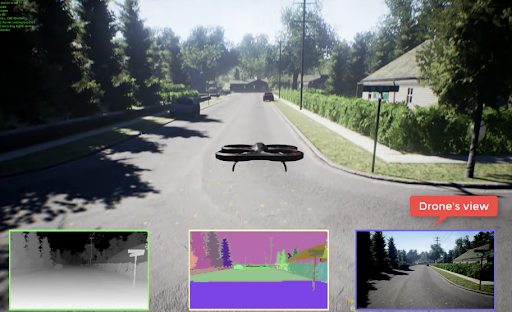 Originally developed by Microsoft and now maintained by the community under the Colosseum project, it is an open-source simulator designed for drones and autonomous vehicles. It is primarily built on Unreal Engine 5 (also supports Unity), providing photorealistic visuals and high-fidelity physics modeling essential for machine learning and computer vision research. Colosseum supports both software-in-the-loop (SITL) and hardware-in-the-loop (HITL) simulations with popular flight controllers like PX4 and ArduPilot, enabling reliable sim-to-real transitions.
Pros:
- Photorealistic Visualization: Built on Unreal Engine, providing high-fidelity visuals suitable for computer vision tasks.
- Physics-Based: Accurate physics modeling for drones and autonomous vehicles.
- Customizability: Allows for the creation of custom environments.
- Cost: Open-source and free to use.
- Supported OS: Compatible with Windows and Linux.
Cons:
- ROS Integration: Limited out-of-the-box support; may require additional setup for ROS compatibility.
- Computation Speed: High-quality graphics can demand significant computational resources.
CoppeliaSim (formerly V-REP)
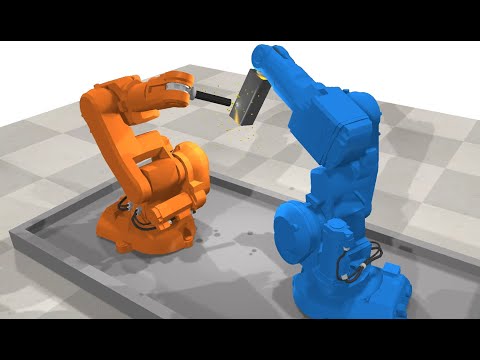
CoppeliaSim is a versatile robotics simulator known for its extensive feature set and modularity. It supports a wide range of robot models and includes several physics engines for accurate simulation. CoppeliaSim’s integrated development environment allows for rapid prototyping and testing of robotic algorithms. It also offers support for multiple programming languages, enhancing its flexibility for various applications.
Pros:
- ROS Integration: Supports ROS, facilitating communication with other ROS nodes.
- Physics-Based: Includes several physics engines for accurate simulations.
- Customizability: Highly customizable with an extensive model library.
- Cost: Free for educational purposes; commercial licenses available.
- Supported OS: Cross-platform support for Windows, macOS, and Linux.
Cons:
- Learning Curve: The abundance of features can be overwhelming for beginners.
- Computation Speed: Complex simulations may require substantial computational power.
Unity
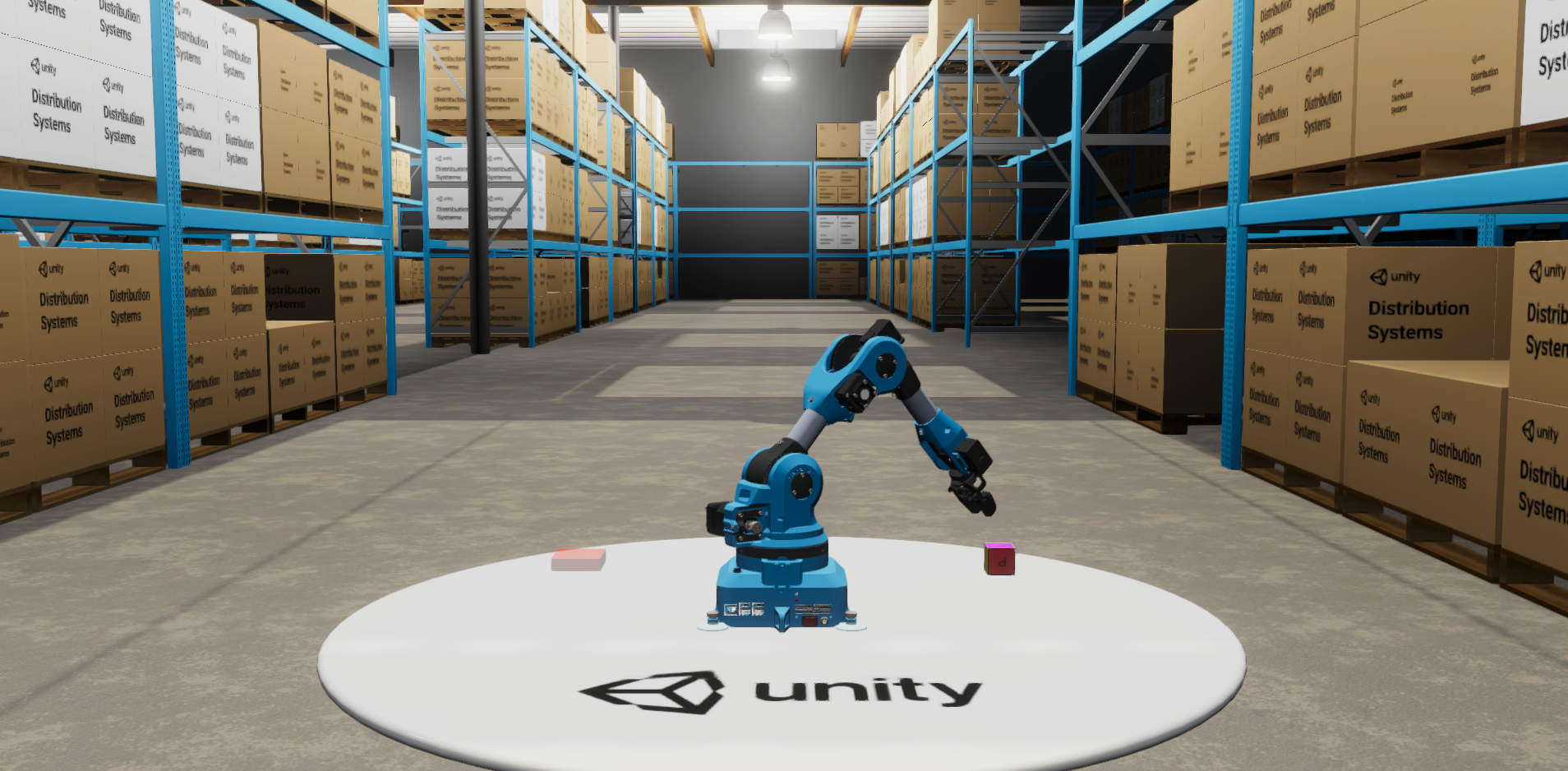
Unity is a powerful game development platform that has gained popularity in robotics for its high-quality rendering and flexible environment creation. While not specifically designed for robotics, Unity’s extensive asset store and scripting capabilities allow users to build complex simulations. With the addition of plugins and bridges, Unity can integrate with ROS, enabling the development of sophisticated robotic applications with realistic visuals.
Pros:
- Photorealistic Visualization: Exceptional graphics rendering capabilities.
- Customizability: Highly flexible environment creation and scripting.
- Cost: Free for personal use; paid licenses for professional use.
- Supported OS: Supports Windows, macOS, and Linux.
Cons:
- ROS Integration: Requires additional plugins or bridges for ROS compatibility.
- Physics-Based: Primarily a game engine; may need adjustments for accurate physics simulation in robotics.
- Learning Curve: Steeper learning curve for those unfamiliar with game development platforms.
Simulators for Reinforcement Learning
As the field of robotics increasingly incorporates reinforcement learning (RL) techniques, selecting an appropriate simulator becomes crucial. These simulators, while not always designed specifically for robotics, provide environments to train deep neural networks that can later be deployed on robotic systems. Understanding their infrastructure and capabilities is essential for effective integration into your projects.
| Simulator | Speed | Cost | Language Support | Learning Curve* | Parallelizability | GPU Support | CPU Support | Physics Accuracy | Visualization Quality |
|---|---|---|---|---|---|---|---|---|---|
| MuJoCo | High | Free | Python, C | Moderate | Limited(High with MJX) | Yes | Yes | High | Moderate |
| PyBullet | Moderate | Free | Python, C++ | Low | Moderate | Limited | Yes | Moderate | Basic |
| Isaac Lab | High | Free | Python | High | High | Yes | Yes | High | High |
*Learning Curve may be subjective, but the general consensus is that Isaac Lab is the most difficult to learn.
Gymnasium (successor to OpenAI Gym)
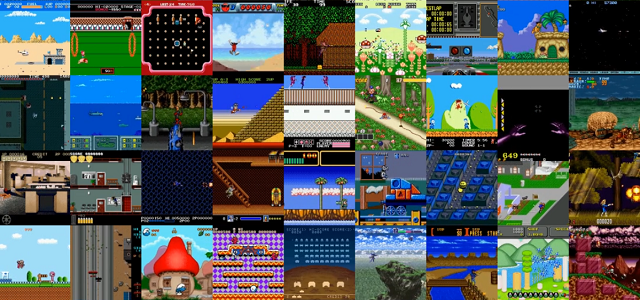
Gymnasium is a widely-used toolkit for developing and comparing reinforcement learning algorithms. It provides a standardized API to interact with a variety of environments, ranging from simple tasks to complex simulations. Many RL training simulators are built upon the Gymnasium framework, making it a foundational tool in the RL community. Gymnasium itself is not a single physics engine or simulator. Instead, it’s a framework that provides a standardized API for a large collection of reinforcement learning environments. Many other RL simulators follow the conventions used in Gymnasium.
Pros:
- Standardized Interface: Offers a consistent API across diverse environments, simplifying algorithm development.
- Extensibility: Allows for the creation of custom environments tailored to specific research needs.
- Community Support: Backed by a large community, providing numerous resources and shared environments.
- Cost: Open-source and free to use.
- Supported OS: Cross-platform compatibility.
Cons:
- Limited Physics Simulation: Relies on external physics engines for complex simulations, which may require additional setup.
- Visualization: Basic rendering capabilities; not suitable for photorealistic needs.
Resources:
- Documentation: Gymnasium Documentation
- Community: Gymnasium GitHub Discussions
- GitHub: Gymnasium Repository
MuJoCo
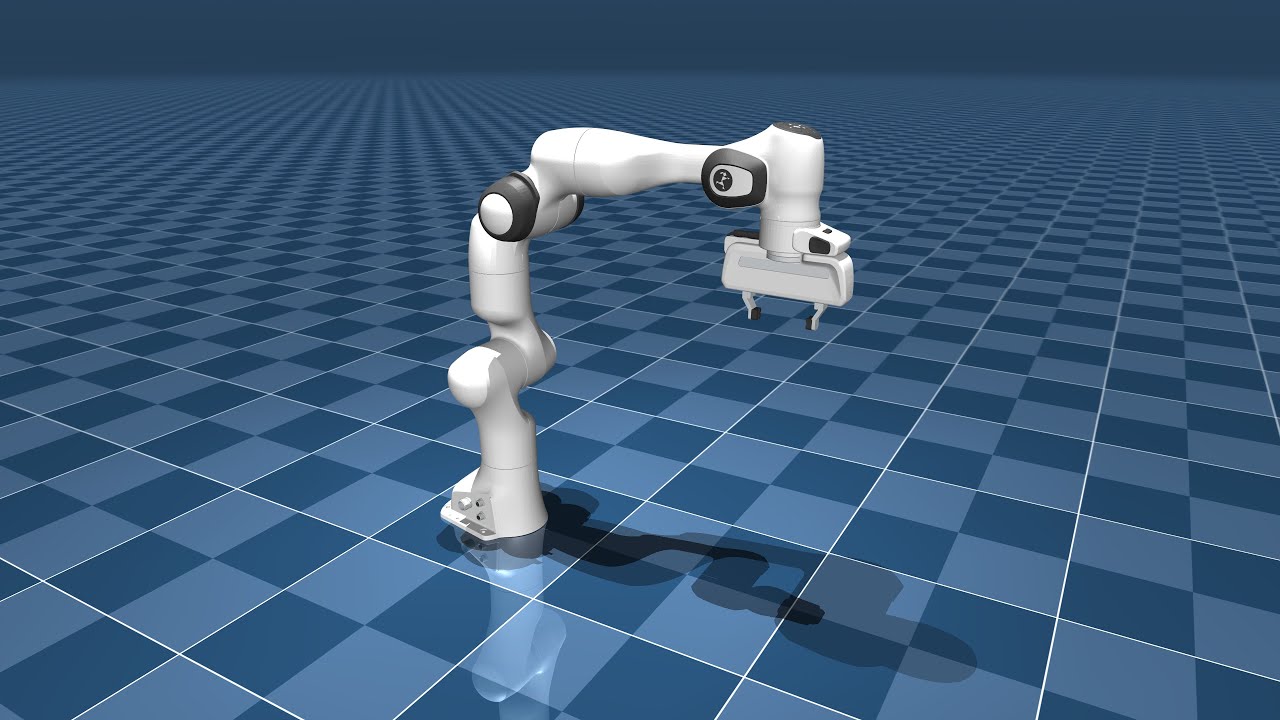
MuJoCo (Multi-Joint dynamics with Contact) is a physics engine designed for fast and accurate simulation of articulated structures, making it ideal for reinforcement learning tasks that require high-fidelity physics modeling.
Pros:
- High-Fidelity Physics: Provides precise simulation of complex dynamics, beneficial for RL applications.
- Computation Speed: Efficient simulations with real-time performance.
- Customizability: Supports the creation of intricate models and environments.
- Supported OS: Compatible with Windows, macOS, and Linux.
Cons:
- Learning Curve: May require time to master its extensive features and functionalities.
Resources:
- Documentation: MuJoCo Documentation
- Tutorial: MuJoCo Programming Tutorial
- Community: MuJoCo Github Discussions
- GitHub: MuJoCo Repository
PyBullet

PyBullet is an open-source physics engine that offers real-time simulation of rigid body dynamics, making it suitable for reinforcement learning and robotics research.
Pros:
- Real-Time Physics Simulation: Accurate and efficient physics modeling.
- Customizability: Enables the creation of custom robot models and environments.
- Cost: Open-source and free to use.
- Supported OS: Cross-platform support.
Cons:
- Visualization: Basic graphics; may not meet requirements for high-quality rendering.
- Learning Curve: The abundance of features can be overwhelming for beginners.
Resources:
- Documentation: PyBullet Quickstart Guide
- Tutorial: Hello PyBullet (Official Colab)
- Community: PyBullet Google Group
- GitHub: PyBullet Repository
Isaac Lab
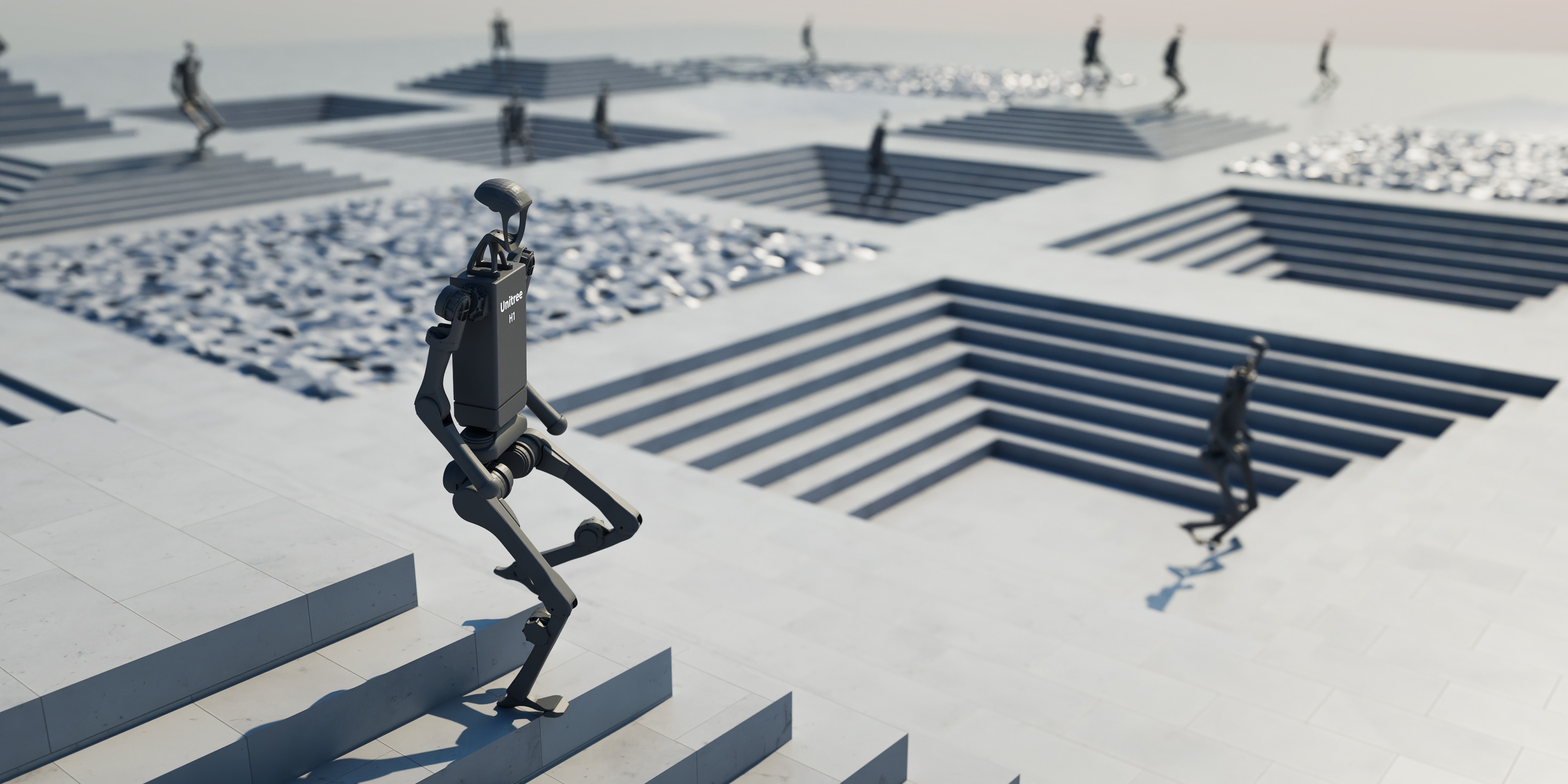
Isaac Lab is an open-source, GPU-accelerated framework for robot learning, built on top of NVIDIA Isaac Sim. It provides high-fidelity physics simulation using NVIDIA PhysX and photorealistic rendering, making it suitable for training robot policies in simulation before deploying them in real-world scenarios.
Pros:
- High-Fidelity Simulation: Offers realistic physics and sensor simulations, enhancing the quality of trained models.
- GPU Acceleration: Utilizes GPU-based parallelization for efficient large-scale training.
- Modular Architecture: Flexible framework supporting various robot embodiments and learning workflows.
- Cost: Open-source and free to use.
- Supported OS: Compatible with Linux.
Cons:
- Hardware Requirements: Requires high-end NVIDIA GPUs, which may not be accessible to all users.
- Learning Curve: Advanced features and dependencies may present a steeper learning curve for beginners.
Resources:
- Documentation: Isaac Lab Documentation
- Tutorials: Isaac Lab Tutorials
- Community: Isaac Sim Forum
- GitHub: Isaac Lab Repository
Further Reading and Resources
For a deeper understanding of physics simulation in robotics, consider exploring the following resources. These materials provide comprehensive insights into the mathematical foundations and practical implementations of physics simulation in robotics.